How to Set Up a Merchant Account for E-Commerce: Your Ultimate Guide to Success in 2025

If you're diving into the e-commerce world in 2025, setting up a merchant account is key. It's like the backbone of your online store, letting you take payments smoothly. But with so many options and terms, it can feel like a maze. Don't worry, though. This guide breaks it down step-by-step, making the whole process a breeze. From picking the right payment processor to ensuring security and compliance, we've got you covered. Let's get started on how to set up a merchant account for e-commerce and make your online business thrive.
Key Takeaways
- A merchant account is essential for processing online payments securely and efficiently.
- Choosing the right payment processor can save money and headaches in the long run.
- Integrating a payment gateway with your e-commerce platform is crucial for a seamless checkout experience.
- Ensuring payment security and compliance protects your business and builds customer trust.
- Staying updated with advanced payment solutions can give your business a competitive edge.
Understanding Merchant Accounts for E-Commerce
What is a Merchant Account?
A merchant account is a special kind of bank account that lets businesses receive payments from credit and debit cards. Think of it as a bridge between your business and the bank. When a customer pays with a card, the money first goes into this account before it reaches your business bank account. There are different types of merchant accounts, including retail, e-commerce, and high-risk ones, each designed to suit various business needs.
Benefits of Having a Merchant Account
Having a merchant account is like opening the door to a world of possibilities for your business. Here are some key benefits:
- Secure Transactions: Merchant accounts offer secure payment processing, ensuring that customer data is protected.
- Improved Cash Flow: Accepting card payments speeds up the transaction process, which can improve cash flow.
- Customer Convenience: By accepting various payment methods, you make it easier for customers to shop with you.
Setting up a merchant account can significantly enhance your business's credibility and trustworthiness, making customers more likely to return.
Common Misconceptions About Merchant Accounts
There are a few myths floating around about merchant accounts:
- High Fees: Many believe that merchant accounts come with exorbitant fees, but in reality, fees vary and can be quite reasonable.
- Only for Big Businesses: Some think only large companies need merchant accounts, yet even small businesses benefit greatly from them.
- Complex Setup: While setting up a merchant account involves paperwork, it's not as daunting as it seems, especially with the right guidance.
Choosing the Right Payment Processor

Factors to Consider When Selecting a Payment Processor
When you're diving into the world of e-commerce, picking the right payment processor is like choosing the backbone of your business. It's crucial to get this right. Here are some key points to consider:
- Business Model: Are you strictly online, or do you have a physical store too? Some processors are better suited for brick-and-mortar, while others excel online.
- Transaction Speed: How quickly do you need funds from sales? Some processors offer next-day deposits, while others might take a few days.
- Integration Needs: Do you already have software or platforms that need to connect with your payment processor? Compatibility is key.
- Customer Support: Is 24/7 support necessary for your business? Consider this if you operate outside standard business hours.
Comparing Popular Payment Processors
Here's a quick comparison of some well-known payment processors:
| Processor | Transaction Fees | Settlement Time | Best For |
|---|---|---|---|
| Stripe | 2.9% + $0.30 | 2 business days | Online businesses |
| Square | 2.6% + $0.10 | Instant | In-person sales |
| PayPal | 2.9% + $0.30 | Instant | Versatile use cases |
Each processor has its strengths. Stripe is great for online businesses, Square excels in-person, and PayPal offers versatility.
How to Evaluate Payment Processor Fees
Fees can sneak up on you if you're not careful. Look out for:
- Transaction Fees: These are the most common and can vary depending on the payment method.
- Monthly Fees: Some processors charge a monthly service fee, others don’t.
- Hidden Costs: Always read the fine print for any additional charges, such as for chargebacks or refunds.
Picking a payment processor isn't just about fees, though. It's about finding the right fit for your business model and customer needs. Make sure to evaluate all aspects before making a decision.
For those looking to explore the top payment gateway providers for ecommerce in 2025, it's important to consider how they will enhance online transactions and improve customer experience.
Setting Up Your Merchant Account
Steps to Open a Merchant Account
Setting up a merchant account for eCommerce isn't as daunting as it might seem at first. Here's a simple roadmap to get you started:
- Identify Your Business Needs: Before diving into applications, understand what your business requires. Think about the payment methods you'll offer and the volume of transactions you expect.
- Select a Payment Processor: Research various payment processors. Consider factors like transaction fees, customer support, and compatibility with your platform.
- Prepare Documentation: Gather all necessary documents like business licenses, bank statements, and tax IDs. These will be crucial for the application process.
- Submit Your Application: Once you've chosen a payment processor, fill out their application form accurately. Double-check everything to avoid delays.
- Undergo Underwriting: This is where the processor assesses your business risk. They might ask for extra documents, so be ready.
- Receive Approval and Set Up: If approved, you'll get a merchant agreement. Review it carefully before signing and integrating it with your e-commerce setup.
Required Documentation for Merchant Account Setup
To open a merchant account, you'll need a stack of paperwork ready. Here's what typically gets requested:
- Business Registration Documents: Proof that your business is legit.
- Bank Statements: Recent statements to show financial health.
- Tax Identification Numbers: To tie your business to its tax obligations.
- Owner Information: Details about the people running the show.
- Product or Service Details: Information on what you're selling and how you price it.
Understanding the Underwriting Process
The underwriting process might sound intimidating, but it's just a thorough check to ensure your business is a safe bet. Here's a quick peek at what happens:
- Risk Assessment: They’ll evaluate your industry, transaction volumes, and any potential risks.
- Document Verification: All your submitted documents will be scrutinized for accuracy.
- Additional Requests: Sometimes, they might ask for more info to clarify any doubts.
"Getting your merchant account set up is a vital step towards accepting payments online. With a bit of preparation and the right approach, you’ll be ready to process transactions smoothly."
Integrating Payment Gateways
What is a Payment Gateway?
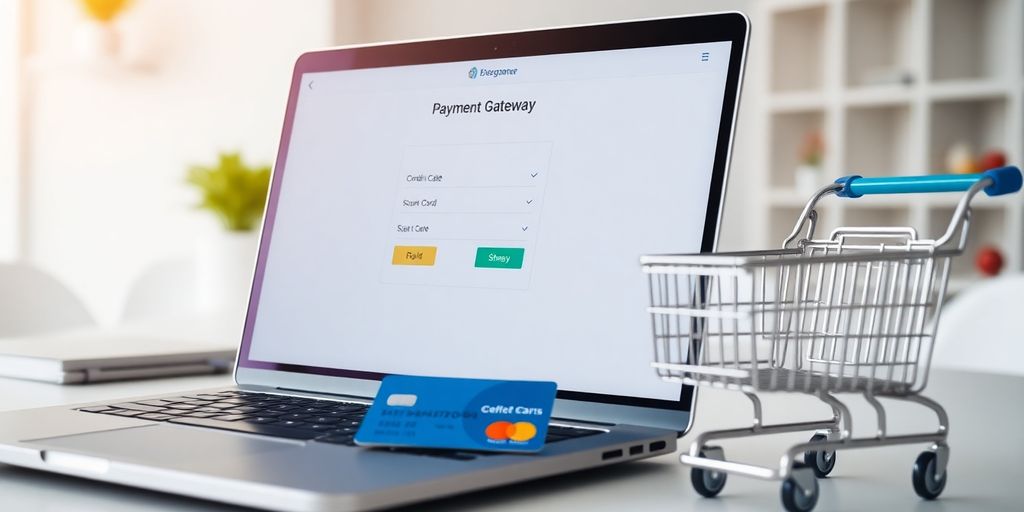
A payment gateway is like a bridge between your online store and the financial institutions that process your customers' payments. It securely transmits transaction data, ensuring that sensitive information, such as credit card numbers, is encrypted and safely sent for approval. Think of it as the digital version of a point-of-sale terminal in a physical store. Without a payment gateway, online transactions wouldn't be possible.
How to Integrate a Payment Gateway with Your E-Commerce Platform
Integrating a payment gateway with your e-commerce platform might sound complicated, but it's usually straightforward if you follow the right steps:
- Choose a Payment Gateway: First, decide which payment gateway suits your business needs. Consider factors like transaction fees, supported payment methods, and ease of integration. Popular options include PayPal, Stripe, and Buy Now, Pay Later.
- Sign Up and Set Up: Once you've chosen a gateway, sign up for an account. You'll need to provide details about your business and possibly undergo a verification process.
- Connect to Your Platform: Use the provided APIs or plugins to connect the payment gateway to your e-commerce platform. Many platforms like Shopify or WooCommerce offer easy integration options.
- Test Transactions: Before going live, run some test transactions to ensure everything works smoothly. This step is crucial to avoid any hiccups when customers start making purchases.
- Go Live: Once testing is complete and you're satisfied with the setup, activate the gateway for live transactions.
Top Payment Gateway Options for 2025
The payment landscape is constantly evolving, and staying updated with the top options is crucial for success. Here are some of the best payment gateways for 2025:
- Stripe: Known for its developer-friendly platform, Stripe supports a wide range of payment methods and is favored by businesses that require flexibility and customization.
- PayPal: A household name, PayPal offers robust security features and is widely accepted across the globe. It's a reliable choice for businesses looking to reach a broad audience.
- Square: Ideal for small to mid-sized businesses, Square provides an all-in-one solution that includes payment processing, invoicing, and inventory management.
Integrating the right payment gateway can significantly enhance your e-commerce business by providing a seamless and secure transaction experience for your customers. Make sure to explore different options and choose one that aligns with your business goals and customer preferences.
Ensuring Payment Security and Compliance
Understanding PCI Compliance
Navigating the world of e-commerce means understanding the Key changes to SAQ A compliance that are set to take effect on March 31, 2025. These changes will alter some requirements and introduce new eligibility criteria, making it essential for merchants to beef up their website security. PCI Compliance, or Payment Card Industry Data Security Standard, is a set of security standards designed to ensure that all companies that accept, process, store, or transmit credit card information maintain a secure environment. This is crucial for protecting customer data and avoiding hefty fines.
Implementing Secure Payment Solutions
When it comes to securing online transactions, there are a few tools you can't overlook. Encryption, tokenization, and secure payment gateways are essential. Encryption scrambles data so that it can only be read by someone who has the decryption key. Tokenization replaces sensitive card information with a unique identifier, or token, that cannot be reverse-engineered. And a secure payment gateway acts as a shield between the customer and the merchant, ensuring that transactions are processed safely.
Best Practices for Fraud Prevention
Fraud prevention is all about staying one step ahead of the bad guys. Here are a few best practices to consider:
- Use Multi-factor Authentication (MFA): Adding an extra layer of security by requiring not just a password, but also a code sent to the user's phone.
- Monitor Transactions Regularly: Keep an eye on transaction patterns and flag anything unusual.
- Educate Your Customers: Make sure your customers know how to spot phishing attempts and other scams.
Keeping your e-commerce business secure isn't just about technology; it's also about vigilance and education. By staying informed and proactive, you can protect both your business and your customers from potential threats.
Optimizing Payment Processing for Success
Streamlining the Checkout Process
Making checkout smooth and quick is a game-changer for online shopping. Customers don't want to waste time, and a complicated checkout can make them leave without buying. Simplifying the checkout steps can keep them on board. Here’s how you can do it:
- Limit the number of steps: Keep it to a minimum. Fewer clicks mean less hassle.
- Guest Checkout: Let people buy without forcing them to create an account.
- Auto-fill Options: Use tools that remember customer info for faster checkouts.
Managing Chargebacks Effectively
Chargebacks can be a headache, but you can manage them with the right approach. Here’s a quick guide:
- Clear Descriptions: Make sure your billing descriptor is clear so customers recognize the charge.
- Prompt Responses: Respond quickly to disputes to avoid unnecessary losses.
- Keep Records: Maintain detailed records of transactions to back up your claims.
Leveraging Analytics for Better Payment Insights
Understanding payment data can boost your business. Use analytics to get insights into customer behavior and payment trends. Here’s why it matters:
- Identify Patterns: Spot trends in payment methods and customer preferences.
- Optimize Fees: Use data to negotiate better rates with payment processors.
- Improve Marketing: Tailor marketing strategies based on purchase data.
"Optimizing your payment process isn't just about speed; it's about making every transaction as smooth as possible for your customers."
For more on how to select the right merchant account services to enhance payment processing efficiency, consider factors like automation and multi-currency support. These can significantly boost operations and customer experience.
Exploring Advanced Payment Solutions
Mobile Payment Solutions for E-Commerce
Mobile payments are becoming the norm in e-commerce, offering a convenient way for customers to pay using their smartphones. With options like Apple Pay, Google Wallet, and Samsung Pay, businesses can tap into a broader audience. These systems are not just about ease of use; they also offer strong security features, such as tokenization and biometric authentication. For small businesses, integrating mobile payments can mean capturing sales from tech-savvy consumers who prefer using their phones over traditional methods.
- Enhanced Security: Utilizes tokenization and biometrics.
- Broader Audience Reach: Attracts tech-savvy shoppers.
- Convenience: Fast and easy checkout process.
The Role of Cryptocurrency in E-Commerce Payments
Cryptocurrency is shaking up the e-commerce payment landscape. With Bitcoin, Ethereum, and a slew of altcoins, businesses can offer more payment flexibility. Cryptocurrencies provide a decentralized payment method that can lower transaction fees and eliminate chargebacks. However, the volatility of crypto values can be a concern for some merchants. Despite this, the integration of cryptocurrency payment gateways is becoming more streamlined, allowing businesses to accept crypto with ease and convert it to fiat currency instantly if needed.
Accepting cryptocurrency can open your business to a global market, breaking down barriers of traditional currency exchanges.
Future Trends in Payment Technology
Looking ahead, payment technology is set to become even more integrated and seamless. Innovations like biometric payments, where a fingerprint or facial recognition authorizes a transaction, are just around the corner. Additionally, blockchain technology promises to revolutionize the way transactions are verified and recorded, providing a transparent and unchangeable ledger. Businesses should keep an eye on these trends to stay ahead in the competitive e-commerce environment.
- Biometric Payments: Fingerprint and facial recognition.
- Blockchain Technology: Secure and transparent transaction records.
- Seamless Integrations: Enhanced customer experience through smoother payment processes.
For businesses looking to stay competitive, integrating these advanced payment solutions can provide a significant edge. Whether through mobile, cryptocurrency, or upcoming technologies, the future of payment is set to offer more security, convenience, and global reach.
Wrapping It Up: Your Path to E-Commerce Success
So, there you have it. Setting up a merchant account for your e-commerce business might seem like a big task, but it's totally doable. Just take it step by step. Remember, picking the right payment processor is key. It can save you money and headaches down the road. Don't rush it—do your homework, compare options, and choose what fits your business best. Once you're set up, you'll be ready to handle transactions smoothly and securely. And who knows? With the right setup, your online store could be the next big thing. Good luck, and happy selling!
Frequently Asked Questions
What exactly is a merchant account?
A merchant account is like a special bank account that lets businesses take payments from credit or debit cards. It's essential for selling stuff online.
Why is having a merchant account important?
Having a merchant account helps businesses accept card payments. This makes shopping easy for customers and can boost sales.
Are there any myths about merchant accounts?
Yes, some people think merchant accounts are only for big companies, but small businesses can use them too. Others believe they're too costly, but they can actually save money in the long run.
What should I look for in a payment processor?
When picking a payment processor, check their fees, security features, and how easy they are to use. Make sure they fit your business needs.
How do I set up a merchant account?
To set up a merchant account, you'll need to provide some documents, like your business info and bank details. Then, follow the steps given by your chosen provider.
How can I keep payments secure?
To keep payments safe, use secure payment gateways and follow PCI compliance rules. This helps protect customer information from fraud.


Comments
Post a Comment